

Catch up on the latest in the Digital Asset Integration Series and delve into the key features of Meridian
There’s no time to lose and too much at stake for todays maintenance, engineering and project teams!
Why Meridian?
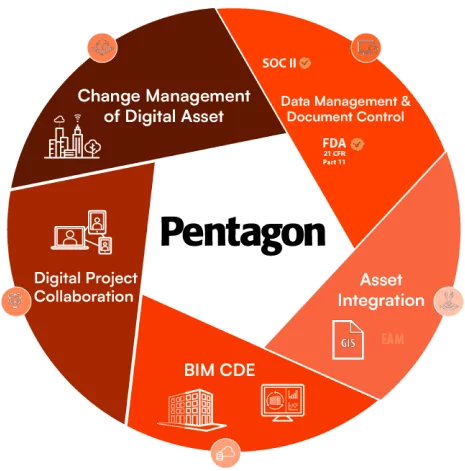
Engineering Information Management is about managing all your ASSET related information and documentation – Meridian on-premise or cloud does this with seamless integrations between EAM, CAFM, CMMS and GIS systems.
Meridian provides a single source of truth, configurable workflows to streamline collaboration with all internal departments and ensures every document change is versioned. Engineering can consistently deliver high-quality, accurate work while facilities have what they need to keep operations safe and running smoothly.
Key Digital Asset Integration Capabilities You Can’t Do Without:
Firstly, we take a look at creating hotspots in Meridian, so that a connection is made between different documents, without the need for opening up the document itself. This ensures that owner operators can easily access connected data within a common data environment, making hotspots an essential element in your toolkit.
Watch this video to experience real-time foot
In the second video of this series, we explore the Power Web Client interface within Meridian to demonstrate what a facility owner’s actual environment will look like. In an environment that holds thousands of documents and records, from models, drawings, PDFs and so on, knowing how to search for documents effectively is crucial. Being able to find the correct item, quickly and easily not only reduces time and stress but boosts productivity. David Gawley, a member of the Digital and Asset Integration Team here at Pentagon Solutions, shows how easy it is to run a search using metadata and content within the document, using Meridian.
Watch the video to find out how to search for documents and make the most out of your document management system.
In the next video, David delves into Meridian Tagging and how it works.
If you’re wondering what the point in tagging is, think about it this way- the potential costs of not knowing what documents go with which assets – or which documents accurately reflect the as-built environment – can be huge! If documents are not tagged, information can be missed. This leads to reduced efficiency, siloed teams, slower operations and potentially costly errors further down the line.
So, why add an asset tag?
Adding an asset or equipment tag in Meridian and tying documents to it is essential. As those documents change and evolve over time, the revisions will be captured as well, and new documents can be added. This means that the operative on-site who’s maintaining the asset can actually get quick access to those documents by simply searching for the asset tag. Knowing how to add an asset tag in your document management system is a crucial step in effectively managing data so that projects run with minimal delays and added costs.
Check out this overview of creating a tag in Meridian (Asset Information Management System) and associated documents helping owner-operators access vital records related to assets. This also shows the benefits of using Meridian Mobile for onsite checks.
The final video in the Meridian Digital Asset Integration Series focuses on analytics and dashboards within Meridian.
David Gawley takes a real-world scenario, in this case, a Purchase Order and highlights how Meridian Analytics can drill down into the Metadata of a cloud vault and report on related documents. This data can then be extracted and a link for the document is created.
What can I do with this link?
Thanks to the unique document link, the information can be tied into other assets or reporting systems, with direct access available. The data can be exported into an Excel spreadsheet, for example. The integration of system information is vital in ensuring that workflows are connected, agile and streamlined.
Having an understanding of Meridian Analytics and dashboards arms owner operators with powerful tools to manage and integrate their data with other system information. At Pentagon Solutions, our mission is to provide access to these tools and to empower you to use them to their full potential.
Meridian Cloud is also SOC 2 Type II Certified ensuring your critical asset data is safe, accurate and available when needed.
Interested in empowering your team with immediate access to the most up-to-date information to help them make the right decisions and ensure success?
Ask our team a question about Digital Asset Integration! We have the tools, the processes and the experience to support your digital transformation!